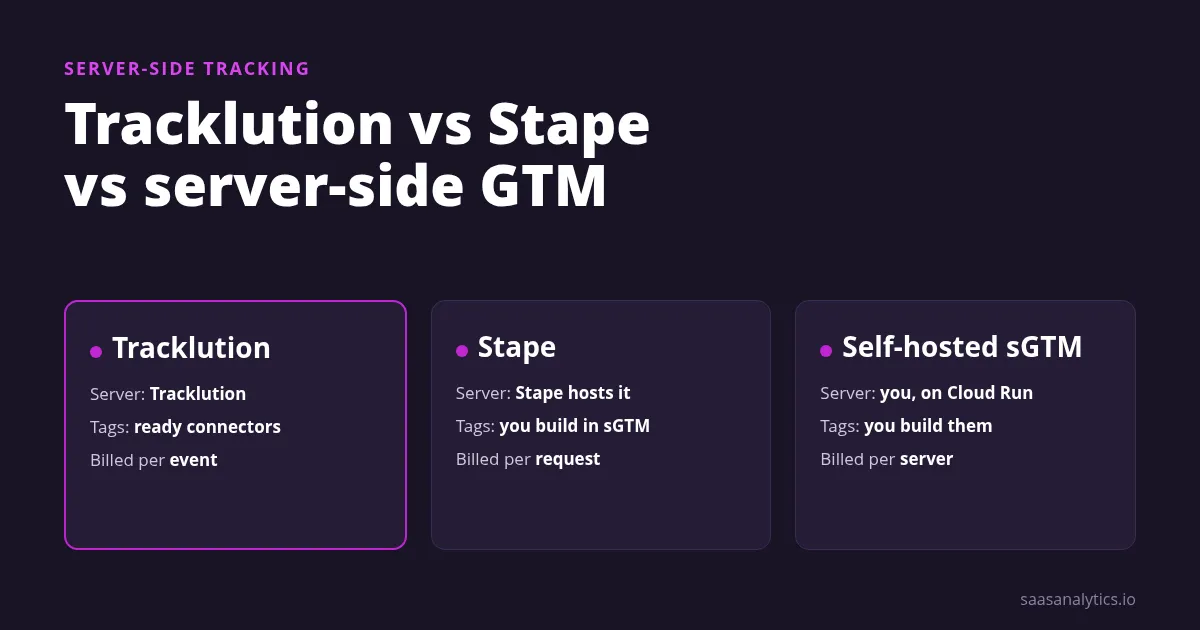
Pick Tracklution if you want ad conversions sent server-side without running any server yourself.
Pick Stape if you want server-side Google Tag Manager but don’t want to manage Google Cloud.
Pick self-hosted server-side GTM if you have engineers and want full control over every tag and transformation.
The real difference is who owns the container. Tracklution runs its own, Stape hosts yours, and with sGTM you run everything.
Tracklution vs Stape vs Server-Side GTM at a Glance
Here’s the short version. Prices come from each vendor’s own pages, in the currency each one lists.
| Tracklution | Stape | Server-side GTM on Cloud Run | |
|---|---|---|---|
| What it is | Managed conversion tracking with ready ad-platform connectors | Managed hosting for your own sGTM container | Google’s server container that you deploy yourself |
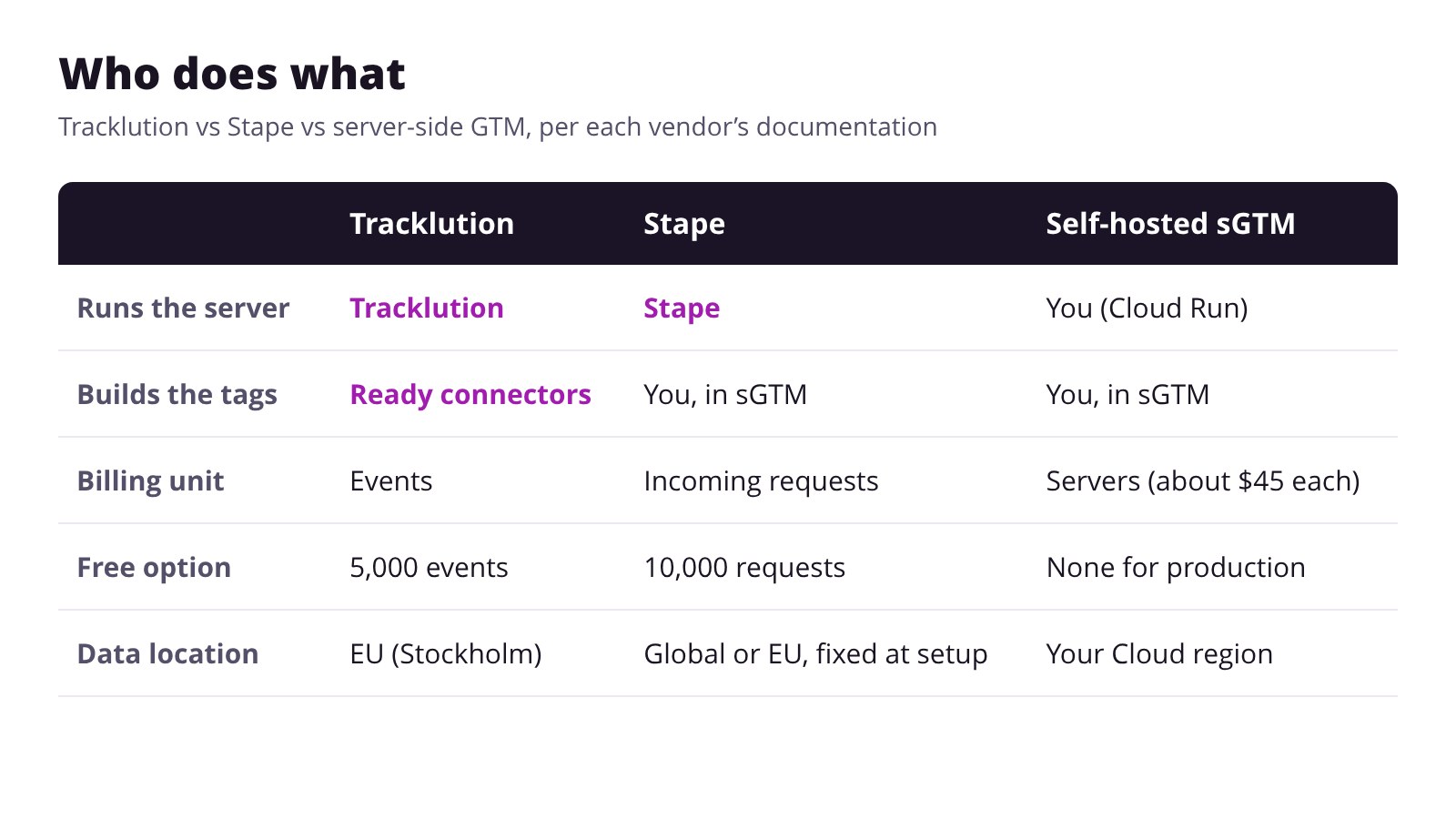
| Who runs the server | Tracklution | Stape hosts it, you configure the container | You |
| Billing unit | Tracked events per month | Incoming requests per month | Cloud Run servers |
| Free option | 5,000 events a month, 1 site, Meta and Google Ads | Up to 10,000 requests a month | None for production |
| Entry price | €39.20/month billed annually for 50,000 events | $17/month billed annually for 500,000 requests | About $45 per server a month, 2 servers recommended |
| Data location | EU, on AWS in Stockholm | Global on Google Cloud, or EU on Scaleway | The Google Cloud region you pick |
| Setup effort | Low: script, GTM template or store plugin | Medium: you build the server container | High: deployment, DNS and every tag |
Tracklution: Connectors Without a Container
Tracklution suits performance marketers who need clean conversions in their ad platforms and have no one to run a server.
- Install with a script, a GTM template, a Shopify app, a WooCommerce plugin or BigCommerce.
- Connectors include Google Ads, GA4, Meta, Microsoft Ads, LinkedIn, TikTok, Pinterest, Snapchat and Adform.
- An optional CNAME record on your domain makes collection first-party.
- Data is stored in the EU, and the company states SOC 2 and ISO 27001 certification.
Price: free for 5,000 events, then Grow from €39.20/month billed annually or €49 billed monthly.
Limit: page views count as events, and extra events cost €0.0008 each beyond your plan.
Tracklution says setup takes 5 to 15 minutes. DNS changes for the first-party domain can take up to 48 hours.
Stape: Hosted Server-Side GTM
Stape suits teams that already know Google Tag Manager and want a server container without touching Google Cloud.
- Hosting for your sGTM container, where one container covers one site.
- A custom loader on every plan, including the free one.
- Global hosting on Google Cloud or EU hosting on Scaleway, chosen when you create the container.
- Separate gateway products for narrow jobs, such as the Meta Conversions API.
Price: free up to 10,000 requests, then Pro from $17/month billed annually or $20 monthly.
Limit: Stape bills every incoming hit, script loads such as gtm.js and gtag.js included.
Pick the region carefully. Stape says you can’t change the hosting region of an existing container.
Server-Side GTM on Your Own Google Cloud
Self-hosted sGTM suits teams with engineers who want raw control, custom transformations or data sent to a warehouse.
- Google recommends deploying the tagging server on Cloud Run.
- Each server is a Cloud Run instance with 1 vCPU and 0.5 GB of memory.
- Google recommends at least 2 instances to reduce the risk of data loss.
- Any destination you can write a tag template for is possible.
Price: Google estimates about $45 per server a month in its Cloud Run setup guide.
Limit: you own DNS, certificates, updates, monitoring and every outage at three in the morning.
Google also warns that request logs can add significant charges above about a million requests a month. It recommends turning request logging off.
What Each Option Costs at Three Traffic Levels
Here’s the hosting bill for 50,000, 300,000 and 1 million tracked events a month, using each vendor’s list prices.
| Events per month | Tracklution (annual / monthly billing) | Stape (annual / monthly billing) | Server-side GTM on Cloud Run |
|---|---|---|---|
| 50,000 | €39.20 / €49 | Pro: $17 / $20 | About $90 for 2 servers |
| 300,000 | €125.60 / €157 | Pro: $17 / $20, or Pro+ at $42 / $50 above 500,000 requests | About $90 for 2 servers |
| 1,000,000 | €287.20 / €359 | Pro+: $42 / $50 up to 2 million requests | About $90 for 2 servers |
Keep three things in mind before you compare the numbers in this table.
- Stape counts requests, not events. Script loads add to the count, so check your real request volume before picking a plan.
- The sGTM figure is my arithmetic. It’s Google’s per-server estimate times its recommended two servers, before logging and egress.
- Hosting isn’t the whole bill. Stape and sGTM need someone to build and maintain the tags, which Tracklution’s connectors replace.
For the full cost model, including engineering hours, see what server-side tracking costs to run.
How Each One Handles Consent
Moving tracking to a server doesn’t remove the need for consent. Each option handles it differently.
- Tracklution has a Basic mode that loads only after cookie consent and an Advanced mode that always loads.
- It can read Consent Mode from the GTM data layer. For platforms without consent mode, it sends nothing when consent is denied.
- Server-side GTM, per Google, takes consent mode from the web container, and Google’s own server tags respect it.
- Stape notes that sGTM has no built-in consent mode for other tags. Its Meta, TikTok, Snapchat and Pinterest tags add a consent option.
For the legal side of server-side setups, read our GDPR-compliant tracking guide.
Which One Should You Choose?
- No developer, ad platforms only: Tracklution. You trade flexibility for a setup measured in minutes.
- GTM skills, several destinations: Stape. You keep sGTM’s flexibility and skip the cloud work.
- Engineers, warehouse or custom logic: self-hosted sGTM on Cloud Run.
- Only Meta’s Conversions API: look at Stape’s Meta gateway before buying a full container.
A quick test helps. Write down every destination you send conversions to, then check which option covers all of them.
Stape Alternatives
If Stape isn’t a fit, you have two real alternatives: run the container yourself, or drop the container entirely.
Running it yourself means sGTM on Cloud Run. Dropping it means a connector service like Tracklution.
Our roundup of the best server-side tracking tools covers more managed options and their prices.
Frequently Asked Questions
Is Tracklution the same as server-side GTM?
No. Tracklution runs its own tracking tag and connectors, and you never manage a server container.
It offers a GTM template only as one way to install its tag.
Does Stape replace Google Tag Manager?
No. Stape hosts your server-side GTM container, while you still build tags and triggers in Google Tag Manager.
How much does server-side GTM cost on Google Cloud?
Google estimates about $45 per Cloud Run server a month and recommends at least two servers in production.
Logging, egress and the engineering time to build tags all come on top.
Does server-side tracking remove the need for consent?
No. All three options rely on your consent banner, and each one passes or respects the visitor’s choice.
The Bottom Line
Tracklution buys you speed, Stape buys you sGTM without the cloud work, and self-hosting buys you control.
Start from your destination list and your team’s skills. The cheapest hosting line rarely means the cheapest setup overall.

Lukas Reinhardt
10+ years building analytics stacks for SaaS companies.
More about me →