
Third-party cookies are dying. iOS tracking restrictions keep tightening. Ad blocker use keeps climbing. If you’re still relying solely on client-side tracking, you’re flying blind — conversions go missing before they reach the platforms you optimize against, and nothing inside that same data tells you how many.
Server-side tracking moves data collection from the browser to your server, bypassing ad blockers and giving you control over what data gets sent where. I’ve implemented server-side tracking for dozens of marketing teams, and the difference in data accuracy is substantial.
But not every tool fits every team. Some require serious technical chops. Others lock you into specific platforms. In this guide, I’ll break down the 7 best server-side tracking tools — covering what each does well, where they fall short, and who should actually use them.
One warning before the list. Every price below was re-checked against the vendor’s own page in August 2026, and almost none of them survived unchanged from when this piece first ran: several moved, one free plan was withdrawn outright, and one of the seven changed owner. Treat any number in any roundup as the starting point for your own check, and read it next to the rest of the bill — how much does server-side tracking cost once compute, requests and engineering hours are counted is a different question from what the licence costs.
Server-Side Tracking Tools Compared
| Tool | Best For | Starting Price | Technical Level | Key Strength |
|---|---|---|---|---|
| Stape | GTM power users | Free to 10K requests, then $20/mo | Intermediate | Managed sGTM hosting |
| Elevar | Shopify stores | $225/mo (2,000 orders) | Beginner | One-click ecommerce setup |
| JENTIS | Enterprise compliance | Quote only | Intermediate | Advanced data governance |
| Tracklution | Performance marketers | Free plan, then €39.20/mo billed annually | Beginner | No-code conversion recovery |
| Segment | Data infrastructure | Free tier, then $120/mo | Advanced | 700+ integrations |
| Piwik PRO | Privacy-first analytics | €36/mo (free plan retired) | Intermediate | Full analytics + compliance |
| Google sGTM | Google ecosystem | Free software, you pay hosting | Advanced | Native GA4 integration |
1. Stape — Best for GTM Power Users
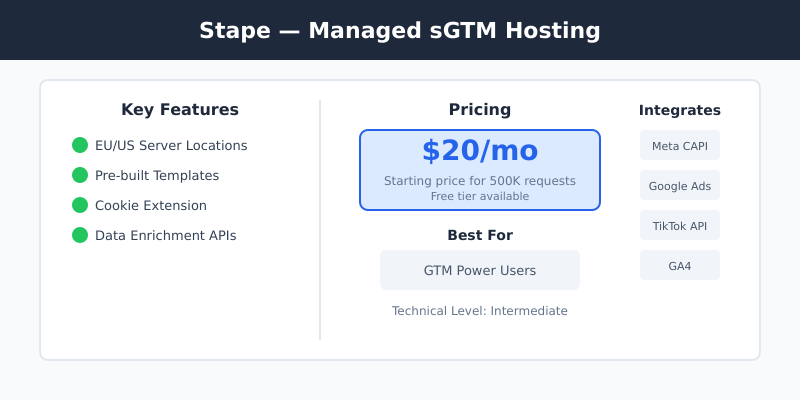
Stape handles the infrastructure headache of running server-side Google Tag Manager. Instead of provisioning your own Google Cloud servers, Stape gives you managed hosting with a visual interface for configuring your sGTM container.
I’ve set up Stape for multiple clients who wanted server-side tracking without hiring a DevOps engineer. The setup takes about 30 minutes if you’re familiar with GTM, and their template library covers most common use cases — Meta CAPI, Google Ads Enhanced Conversions, TikTok Events API.
Key Features
- Managed sGTM hosting with EU and US server locations
- Pre-built templates for major ad platforms
- Cookie extension to bypass ITP limitations
- Data enrichment and transformation APIs
Pricing
Free hosting up to 10,000 requests a month — enough to test, not enough to run anything real. Paid hosting starts at $20/month ($200 billed yearly) for 500K requests, with $1,000/year covering 5M requests and $2,000/year covering 20M.
The number that catches teams out is what counts as a request. Stape bills every incoming hit the container receives, script loads such as gtm.js and gtag.js included, which is why their own documentation warns that request volume runs roughly 30% above your GA4 event count. Size the plan off that figure, not off the event report your analytics shows you.
| Pros | Cons |
|---|---|
|
|
Who Should Use Stape
Marketing teams already using GTM who want server-side benefits without managing infrastructure. Ideal if you have someone comfortable with tag management.
Who Should Skip It
Complete beginners to tag management, or teams who need turnkey attribution — Stape is infrastructure, not analytics. For attribution, you’ll need a separate marketing attribution tool.
2. Elevar — Best for Shopify Stores
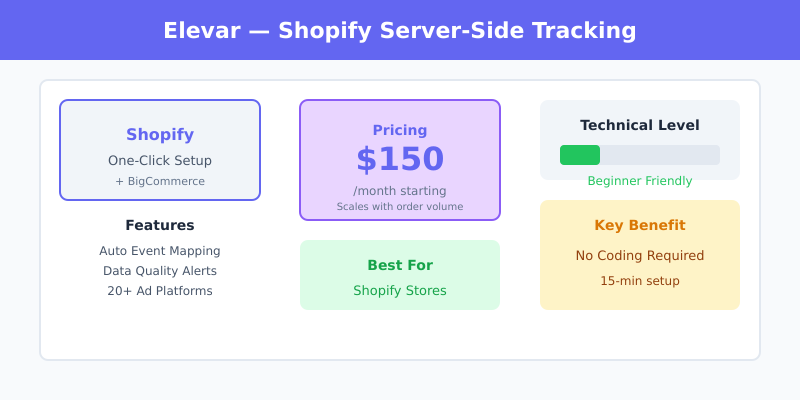
Elevar specializes in server-side tracking for ecommerce, with deep Shopify and BigCommerce integrations. The platform automatically implements GA4, Meta CAPI, TikTok Events API, and other tracking pixels through server-side architecture.
One thing has changed since I first wrote this section: the product now sits inside Audiense and is sold as Audiense Online, whose own page introduces Elevar as “the #1 server-side tracking and consumer insights platform, now part of Audiense”. The old getelevar.com address redirects there. The Shopify app is still published by Elevar, LLC and still maintained, so nothing is broken — but if you are signing anything longer than a year, ask how central Shopify tracking stays to the new owner’s roadmap.
When I configured Elevar for a Shopify Plus store, the setup was remarkably smooth — about 15 minutes to connect and start seeing data. Their automatic event mapping handles product views, add-to-carts, and purchases without custom code.
Key Features
- One-click Shopify/BigCommerce integration
- Automatic ecommerce event mapping
- Data quality alerts and monitoring
- Pre-built connections to 20+ ad platforms
Pricing
Plans start at $225/month for stores up to 2,000 orders, then $650/month to 10,000 orders and $1,250/month to 30,000, with per-order overage above each ceiling and a 15-day trial. That entry price is half again what it was in January, which moves the break-even: a store filling the 2,000-order plan pays about 11 cents an order for its tracking, while a store doing 300 orders on the same plan pays 75 cents.
| Pros | Cons |
|---|---|
|
|
Who Should Use Elevar
Shopify and BigCommerce stores that want accurate conversion tracking without technical implementation. Best for stores doing 1,000+ orders/month where tracking accuracy directly impacts ad spend.
Who Should Skip It
Non-ecommerce businesses, custom-built stores, or small stores where the monthly cost exceeds the value of improved tracking.
3. JENTIS — Best for Enterprise Privacy Compliance
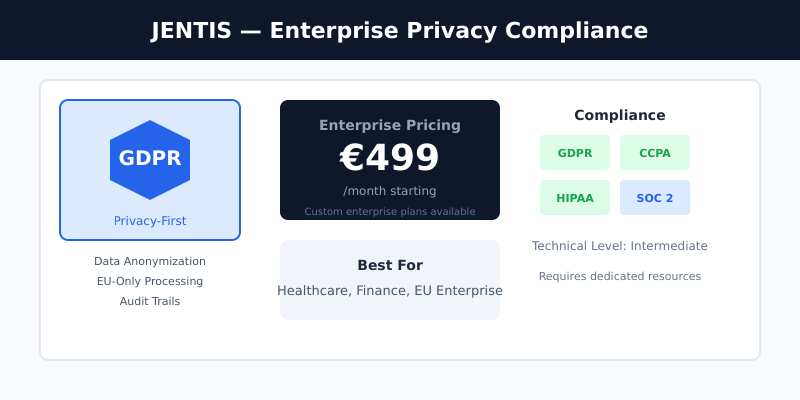
JENTIS is built for organizations where data privacy isn’t optional — think healthcare, finance, and EU-based companies under strict GDPR enforcement. The platform provides granular control over data flows with built-in anonymization and consent management.
I’ve recommended JENTIS to clients in regulated industries where a data breach could mean significant fines. The platform’s approach to data governance goes beyond basic compliance — you control exactly what data leaves your infrastructure.
Key Features
- Advanced data anonymization and pseudonymization
- EU-only data processing option
- Granular consent mode integration
- Audit trails for compliance documentation
Pricing
JENTIS no longer publishes a number. The pricing page lists three tiers — Core, Professional and Enterprise — each behind a “Get Price” button, so sizing this means a sales conversation rather than a card payment. It is priced for organizations where compliance is a business requirement, not for a team trying a tagging server for one quarter.
| Pros | Cons |
|---|---|
|
|
Who Should Use JENTIS
Enterprise organizations in regulated industries, EU-based companies with strict GDPR requirements, or any business where data privacy violations carry significant risk.
Who Should Skip It
SMBs, startups, or any team that cannot absorb an enterprise contract for the compliance benefits alone.
4. Tracklution — Best for Performance Marketers
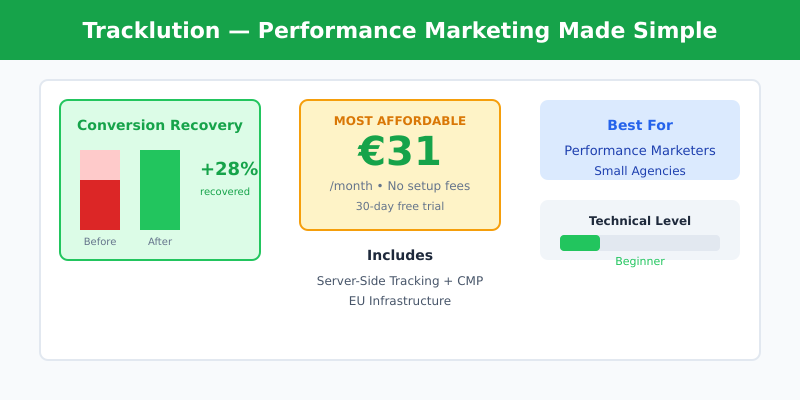
Tracklution targets performance marketers who need better conversion data without the technical complexity. Events reach the ad platforms through their APIs instead of browser pixels, collection runs first-party through a CNAME on your own domain, and the install path covers Shopify, WooCommerce, WordPress and GTM without a developer.
What caught my attention during testing is the conversion recovery metrics — Tracklution shows you exactly how many conversions you’re recovering compared to client-side tracking. For one client that side-by-side count was what settled the argument over whether the migration had paid for itself.
Key Features
- Consent Mode Basic and Advanced, reading the CMP you already run
- Conversion recovery reporting
- No-code setup, free tier, 14-day trial
- EU infrastructure for GDPR compliance
Pricing
There is a free plan now: 5,000 events a month on one site with the Meta and Google Ads connectors. The Grow plan is €39.20/month on annual billing (€49 billed monthly) for 50,000 events and the full connector set, with no setup fee. Events above the allowance cost €0.0008 each, so the “no usage-based surprises” line I wrote in January no longer holds — push a 50,000-event plan to 200,000 events and the overage alone is about €120, three times the plan fee. Count your events before you pick a tier.
| Pros | Cons |
|---|---|
|
|
Who Should Use Tracklution
Performance marketers and small agencies who want quick server-side implementation that respects the consent tooling they already run. Great for teams running paid ads who need better conversion data fast.
Who Should Skip It
Teams needing advanced data transformations or extensive custom integrations.
Tracklution vs Server-Side GTM
This is the comparison people actually run in this category, and it is not a feature contest. The two answer different questions.
Server-side GTM is a container you operate. Any destination you can write a template for, any transformation you can code, raw events into BigQuery if you want them, and a bill that follows your traffic rather than a plan tier. In exchange you own the DNS, the certificate, the uptime and the pager. Tracklution is a fixed set of connectors — Meta, Google Ads, TikTok, LinkedIn, Pinterest and the rest of the paid-media stack — wired up for you behind a CNAME, with SOC 2 and ISO 27001 answered on the compliance questionnaire and nothing to keep running.
The rule I use with clients: write down every destination you need to send conversions to. If that list sits inside Tracklution’s connector set and nobody on the team wants to be woken up about a container, take Tracklution and spend the saved weeks on campaigns. If the list includes a destination outside it, or you need transformations before data leaves, or somebody downstream wants raw events in a warehouse, you want sGTM — and then the real choice is managed hosting like Stape against your own Cloud Run project. I compare all three side by side, with costs at three traffic levels, in Tracklution vs Stape vs server-side GTM.
Price rarely decides this one. At the volumes where the difference matters, an engineer’s afternoon costs more than either bill.
5. Segment — Best for Data Infrastructure
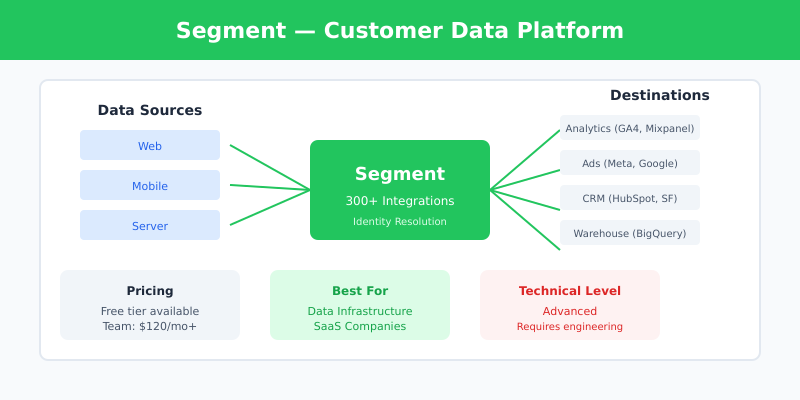
Segment (now sold as Twilio Segment) is a customer data platform first and a tracking tool second. It routes data from any source to any destination, and with hundreds of pre-built integrations it stays the default for companies building real data infrastructure rather than a conversion feed.
I’ve implemented Segment for SaaS companies that need to unify data across web, mobile, and backend systems. The flexibility is unmatched, but so is the complexity — this isn’t a tool you set up in an afternoon.
Key Features
- 700+ pre-built source and destination integrations
- Real-time data routing and transformation
- Identity resolution across devices
- Data warehouse integrations (BigQuery, Snowflake)
Pricing
The free tier covers 1,000 visitors a month across two sources. Team starts at $120/month for 10,000 visitors, and tracked users above that are tiered: $12 per thousand from 10K to 25K, $11 per thousand to 100K, $10 per thousand beyond. Business is quote-only and invoice-billed, so data governance and a single customer view put you in a sales conversation rather than on a pricing page.
| Pros | Cons |
|---|---|
|
|
Who Should Use Segment
Companies with complex data needs across multiple tools, SaaS businesses tracking user journeys across web and product, or teams building a unified customer data platform.
Who Should Skip It
Small businesses, teams without engineering resources, or anyone who just needs basic conversion tracking.
6. Piwik PRO — Best for Privacy-First Analytics
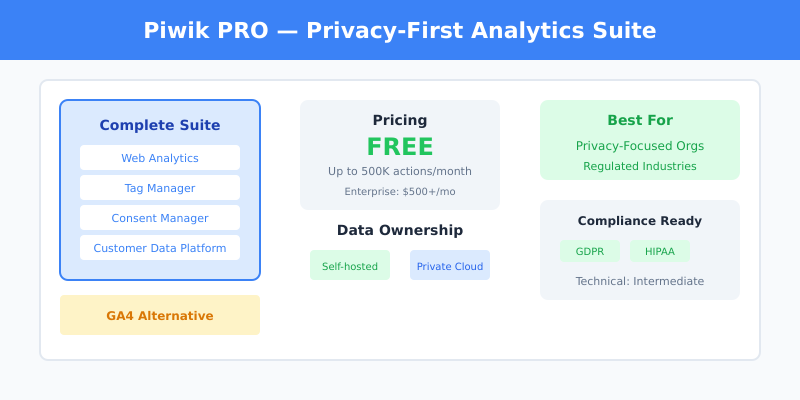
Piwik PRO combines full analytics capabilities with enterprise-grade privacy features. Unlike pure tracking tools, it includes dashboards, reports, and a tag manager — a complete GA4 alternative with better privacy controls.
When I set up Piwik PRO for a healthcare client, the ability to keep all data within EU borders was the deciding factor. The platform integrates with sGTM or JENTIS for server-side collection while providing analytics natively.
How Piwik PRO Does Server-Side Collection
Piwik PRO is the one tool here where “server-side” means three different things, and picking the wrong one is how these projects stall in week two.
The first-party collector is Piwik PRO’s own route: the browser sends data to a reverse proxy on your domain, and the proxy passes it to your Piwik PRO account. No Google product anywhere in the path, which is the whole point for teams that chose Piwik PRO to get out of Google’s stack.
The server-side GTM integration is for teams already running a tagging server. Piwik PRO ships two pieces: a client template you download from their GitHub repository and import into your sGTM container, which claims the incoming requests, and a tag template from GTM’s Community Template Gallery, which composes the HTTP request to your account. Two caveats before you start — Piwik PRO states it cannot provide technical support for installations made through a tag manager other than its own, and some editable fields in that integration are Enterprise-only. Their setup guide walks through both templates.
The tracking HTTP API is the escape hatch: your backend composes the request itself, which is how server-only events such as a subscription renewal or a refund end up in the same dataset as web sessions. The API reference is public.
For teams that want the tagging layer somewhere other than Google, Piwik PRO also documents JENTIS as an alternative front end — the same pairing that turns up on the JENTIS side of this list.
Key Features
- Full analytics suite (not just tracking)
- Self-hosted or private cloud options
- Built-in consent manager
- Customer data platform module
Pricing
The free Core plan is gone. Piwik PRO announced its retirement for February 2026, and accounts that did not upgrade lost access to the product and to the data inside it. What replaced it is Business from €36/month — up to 2M actions, up to 20 domains, 25 months of retention, 30-day trial — with Enterprise starting at €366/month billed annually and rising from there, private-cloud hosting available in the higher tiers.
If you picked Piwik PRO in the last two years specifically because it was the free privacy-first option, that reason no longer exists. The product is the same product; it is simply a paid one now, and it has to win against other paid tools rather than against a competitor’s price of zero.
| Pros | Cons |
|---|---|
|
|
Who Should Use Piwik PRO
Organizations that want to replace Google Analytics with a privacy-focused alternative, companies needing data residency controls, or teams in regulated industries.
Who Should Skip It
Teams deeply invested in the Google ecosystem, or those who only need server-side tracking (not a full analytics platform).
7. Google Server-side Tag Manager — Best Free Option
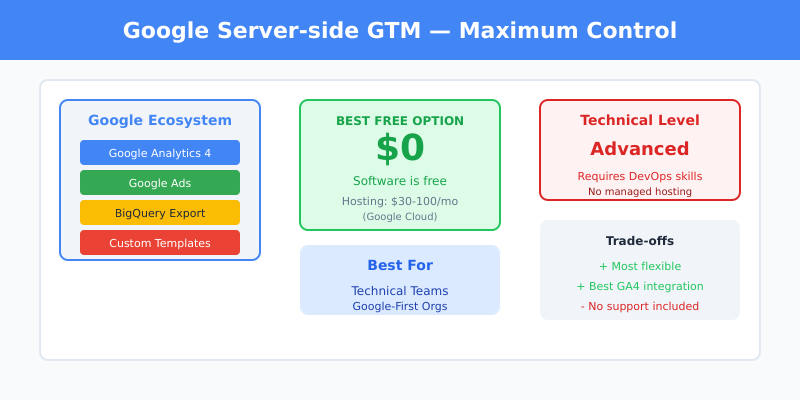
Google’s server-side GTM extends the familiar Tag Manager into a hybrid client-server architecture. It’s free to use, but you’ll pay for the cloud hosting — typically Google Cloud Run or App Engine.
I’ve deployed sGTM directly for clients who wanted maximum control and were comfortable with Google Cloud. Most of them arrived for one specific reason: Google Ads Enhanced Conversions and the consent signals feeding it are cleanest when the conversion is sent from a server you control rather than from a browser that may never fire the tag. The flexibility is excellent, but expect to spend time on configuration and maintenance.
Key Features
- Native integration with GA4 and Google Ads
- Full customization via custom templates
- BigQuery export for raw data analysis
- Community template gallery
Pricing
The software is free. What you pay for is the container. Cloud Run bills per vCPU-second, per gibibyte-second and per request, so the bill follows the shape of your traffic rather than a plan tier — and an instance kept warm around the clock is charged at four in the morning when nobody is on your site. Price it against Google’s current published rates and your own event volume; I broke the full model down in what server-side tracking costs to run, including the lines that never show up on an invoice.
| Pros | Cons |
|---|---|
|
|
Who Should Use Google sGTM
Teams with technical resources who want maximum control and are already invested in Google’s ecosystem. Best for organizations with developers who can maintain the infrastructure.
Who Should Skip It
Non-technical teams, anyone wanting managed infrastructure, or teams that need hands-on support.
How to Choose the Right Server-Side Tracking Tool
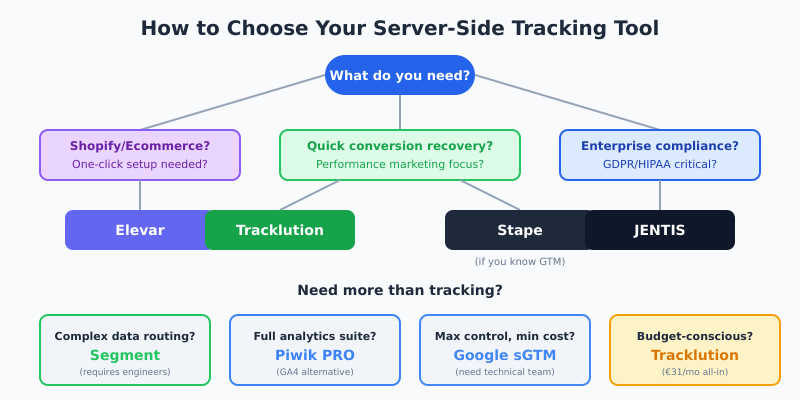
After testing these tools across different client scenarios, here’s my framework for choosing:
Start With Your Primary Use Case
Running a Shopify store? Start with Elevar. The ecommerce-specific features and one-click setup save significant time compared to general-purpose tools.
Need quick conversion recovery for ad campaigns? Try Tracklution. The low price point and Consent Mode support make it the fastest path to better data for performance marketers.
Want flexibility with GTM? Stape gives you managed sGTM hosting without the DevOps overhead. Good middle ground between DIY and fully managed.
Building data infrastructure? Segment is the choice for companies routing data to multiple destinations. Overkill for simple tracking, essential for complex architectures.
Strict compliance requirements? JENTIS or Piwik PRO depending on whether you need just tracking (JENTIS) or full analytics (Piwik PRO).
Maximum control, minimum cost? Google sGTM — if you have the technical resources to maintain it.
Consider Your Technical Resources
Be honest about your team’s capabilities. Tools like Segment and Google sGTM require engineering time to implement and maintain. If you don’t have that, paying more for Elevar or Tracklution will save money in the long run.
Don’t Forget Campaign Tracking
Server-side tracking is only one piece of the puzzle. For accurate data, make sure you’re also using proper UTM parameters on all your campaigns so traffic is correctly categorized in your analytics platform.
“Without data, you’re just another person with an opinion.”
— W. Edwards Deming
FAQ
What is server-side tracking and why does it matter?
Server-side tracking collects data on your server before sending it to analytics platforms, rather than relying on browser-based JavaScript. This bypasses ad blockers, reduces data loss from browser restrictions, and gives you control over what data gets shared with third parties.
How much conversion data can server-side tracking recover?
There is no portable number, and any single figure quoted at you was measured on someone else’s traffic. What you recover depends on how much of your audience runs ad blockers or privacy-restricted browsers, and on how many of your conversions land off-session, days after the click. Size it for your own account the boring way: run both collection paths in parallel for two weeks and compare conversion counts by source before you sign anything.
Do I need server-side tracking if I’m GDPR compliant?
GDPR compliance and server-side tracking solve different problems. Server-side tracking improves data accuracy; GDPR compliance ensures you handle data legally. However, server-side tracking can help with compliance by giving you more control over data flows and what information leaves your infrastructure.
Can I use server-side tracking with Google Analytics 4?
Yes. GA4 works well with server-side tracking through Google’s server-side Tag Manager or third-party tools like Stape and Elevar. Server-side implementation actually improves GA4 data quality by reducing the impact of ad blockers and browser restrictions.
Does Piwik PRO support server-side tracking?
Yes, by three separate routes. Its own first-party collector proxies data from the browser to your Piwik PRO account through your own domain with no Google product involved; a client template plus a tag template plug it into an existing server-side GTM container; and the tracking HTTP API lets your backend send events directly, which is how refunds, renewals and other server-only events land in the same dataset as web sessions. Piwik PRO does not provide technical support for installations made through a third-party tag manager, so the first-party collector is the safer default unless a tagging server already exists.
What’s the difference between server-side tracking and first-party data?
Server-side tracking is a method of collecting data; first-party data is data collected directly from your users. Server-side tracking typically produces first-party data because it’s collected on your domain, which is why it’s more reliable than third-party cookie-based tracking.
Final Verdict
Server-side tracking has stopped being a nice-to-have for any team spending real money on ads. The question is which tool fits your situation.
For most marketing teams, I recommend starting with Stape or Tracklution — they offer the best balance of capability and simplicity. Ecommerce stores should look at Elevar first. Enterprise teams with compliance requirements should evaluate JENTIS or Piwik PRO.
Whatever you choose, the investment in server-side tracking pays off quickly through better ad optimization, more accurate multi-touch attribution, and reduced wasted spend on audiences you can’t properly measure.
Two habits are worth keeping after you choose. Re-check the price on the vendor’s own page before you commit — most of this list moved in seven months and one plan disappeared entirely. And decide up front what the recovered signal is supposed to feed: everything else I write about SaaS attribution covers that half of the problem, because cleaner conversion data that nobody models is a tidier version of the same guesswork.
Keep reading: how to calculate true marketing ROI and what the SaaS marketing funnel really looks like.

Lukas Reinhardt
10+ years building analytics stacks for SaaS companies.
More about me →